
Sometimes you don't need a strategy presentation or a months-long roadmap from an army of developers. Sometimes you're just dealing with a vendor who adjusts its pricing model in such a way that you think, "This can't be true, can it?"
Lead Time in Numbers
o 4.86 billion tokens processed
o $2,200 in AI costs
o 20.5 hours from our own team, spread over several days
o About 75 hours of brainstorming and collaboration by our AI colleague
The system was developed by Martijn Wagema, together with his AI colleague. In a relatively short amount of time, we now have an application that is much more than just a replacement for our old time-tracking system. We’ve consolidated a large portion of the functionality we truly need into a single, centralized environment.
What's included in Flowtime?
Track Hours
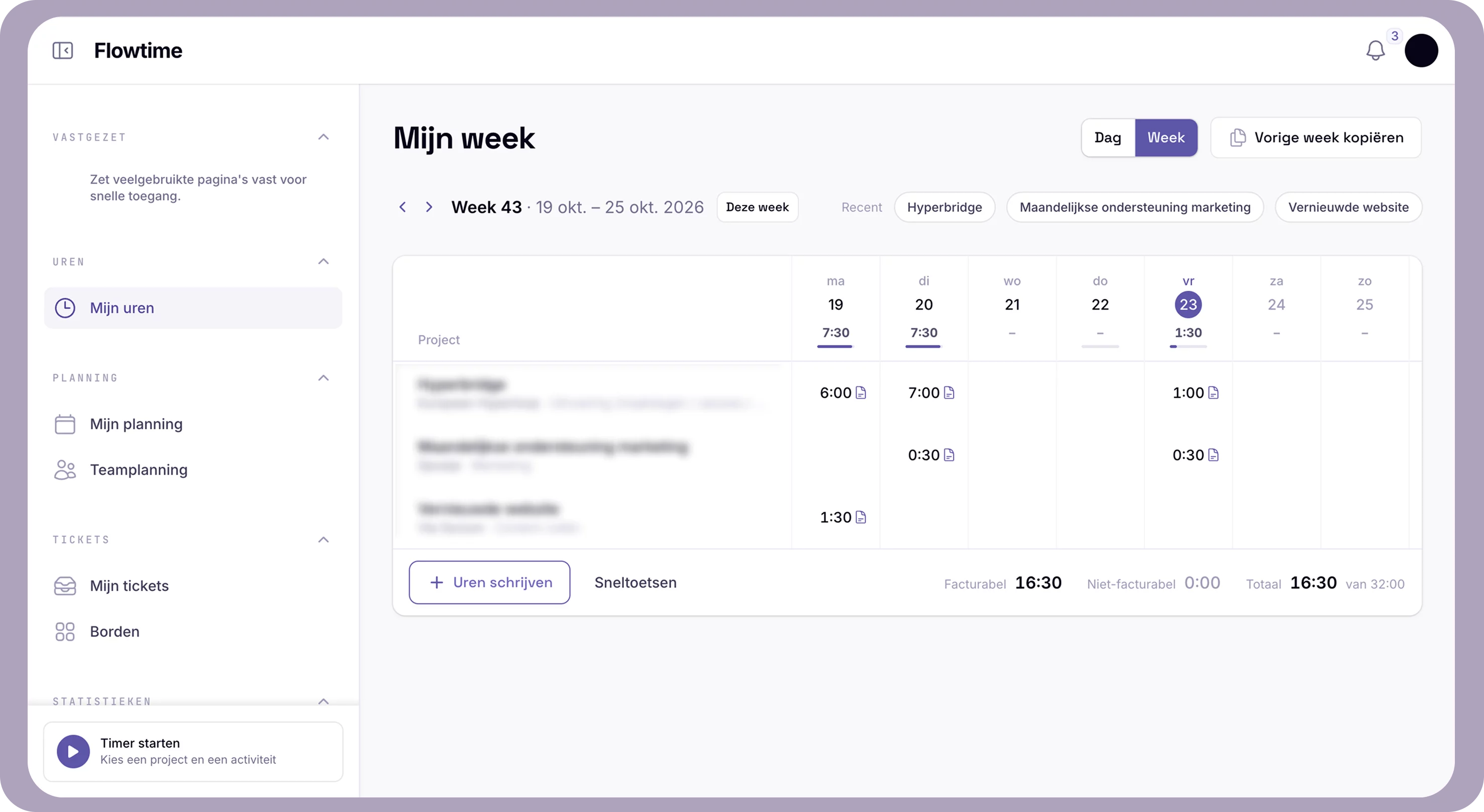
Tracking hours should be fast and error-free. That’s why Flowtime remembers your last selection in the daily and weekly views, and you can use the Tab key to navigate smoothly through your time tracking. You can start, stop, and resume a timer from any line, or automatically import hours from your calendar. You can also log hours for a colleague, reopen a closed week, and search for projects using typeahead (including by client name). A handy alert notifies you of hours without a description, and time reminders help ensure you don’t forget anything. For each project, your time codes and billability are immediately clear.
Flowtime has now become much more than just an alternative to our old time-tracking system. We've tried to bring together a large part of the functionality we need on a daily basis into a single application.

Valentijn Duijser
Director
Planning
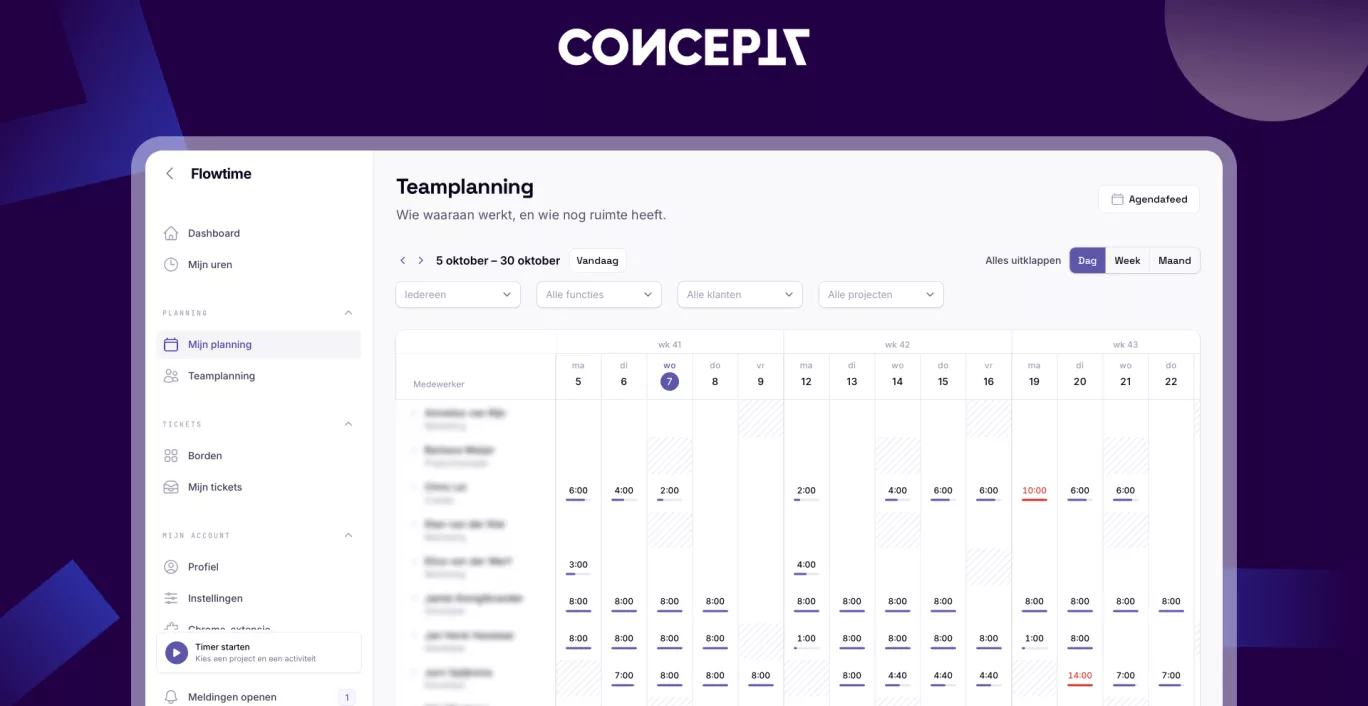
Plan by team or by individual, and by role or employee. You can easily move blocks (they automatically align with workdays), and you can repeat or transfer a schedule. Each block includes activities, multiple links, and an assignee. You can easily sort by client (including totals) and log hours directly from the schedule. Via an iCal feed (also available by client), you can view the schedule instantly in your own calendar. Capacity and scheduling permissions determine who can view and edit what.
Ticketing
Work in a board or list view and effortlessly drag and drop tickets between statuses. Each ticket has a full page with a preview and editor, where you can instantly edit the title, description, status, assigned people, and tags. There’s space for comments in threads, attachments, subtasks, and relationships (such as “related,” “blocks,” and “duplicate”). Another handy feature: you can start a timer for your planning directly from a ticket.
Reports
All reports are clearly displayed on a single screen: utilization rates in a table, hours per task, project hours with smart filters (with the option to click through to the project), and a handy overview of missing hours. You can also see the AI tokens used right here.
Leave and Attendance
Leave is automatically imported from Nmbrs, including specific leave types and approved leave. Absences are immediately visible in the schedule.
Projects, Management, and Login
Think of project notes, roles with their own permissions, impersonation (logging in as someone else), amounts accurate to four decimal places, and secure login via Google Authenticator or a password.
What are the benefits?
By phasing out our old, expensive applications for time tracking, project management, and scheduling, we’re saving approximately €24,000 per year. That’s a significant savings, but it’s not even the most important result.
The biggest advantage is that we now have an application that we understand, can customize, and can continue to develop ourselves. And we’re not stopping there: the time-tracking application, the scheduling tool, and the user story solution have already been replaced, and eventually we also want to use Flowtime for invoicing and integrate our own CRM with it.
Flowtime for your organization?
We don’t want to keep Flowtime to ourselves. Other companies can become customers on favorable terms. After all, we’re happy to help other entrepreneurs become less dependent on increasingly expensive software, while still working with a modern, practical application.
Do you also need a solution that combines time tracking, scheduling, ticketing, and reporting in a single integrated environment? Feel free to contact us. Even if you just want to know which specific applications we’ve replaced so far, we’d be happy to tell you more about them.